
Warren County Jail
Warren County Jail
Anyone seeking inmate information can call the 156-bed Warren County Jail 24 hours a day at 636-456-4332.
This facility takes in adults arrested in the county on misdemeanor and felony charges for booking and processing. Inmates stay in custody until they post bond, are released on their own recognizance, or until their trial is concluded, depending on the charges against them.
The inmate search tool displays the facility’s roster of people currently in custody.
Those convicted and sentenced to less than a year remain at the jail to serve their sentence. Those sentenced to more than a year are transferred to the Missouri State Prison System or the Federal Bureau of Prisons.
This page includes details on the visitation schedule, funding an inmate’s account, sending mail, phone calls, voicemail, email and texting, tablet rentals, bail bond instructions, and commissary orders.
Get the inmate’s booking number or jail ID and keep it. You’ll need it for most correspondence. If it’s not online, Warren County Jail can provide it at 636-456-4332.
Inmate Services
Other Jails and Prisons
To search for an inmate in the Warren County Jail, review their criminal charges, the amount of their bond, when they can get visits, or even view their mugshot, go to the Official Jail Inmate Roster, or call the jail at 636-456-4332 for the information you are looking for.
You can also look up an Warren County inmate's criminal court case online.
Warren County Jail Inmate Search
We’ve compiled a list of Frequently Asked Questions and Answers for everything you need to know about finding an inmate in the Warren County Jail, how the jail rosters work and what happens after an offender is arrested and booked. If you still have questions after reviewing these FAQs, call 636-456-4332 for further assistance.
The Warren County Jail maintains an average of 156 offenders in custody on any given day. The Warren County Jail has a monthly turnover of 40% of their inmate population, another 30% turnover every 90 days, another 20% every six months, and approximately 10% stay incarcerated between six and twelve months. Every year Warren County law enforcement agencies arrest and detain approximately 3,120 offenders.
⇓ Learn more ⇓ Show lessLocated within the Warren County courthouse, along with the sheriff’s office, the 156-bed Warren County Jail is a small holding area that provides for the care of offenders arrested throughout the county on both misdemeanor and felony charges and they may remain at this facility as they await their trial.
During incarceration meals, housing, bedding, clothing, laundry, snacks, medical care, and mental health services are all provided.
An online listing of all inmates and details pertaining to their incarceration is updated each week with every new arrest, and staff are able to answer questions directly at 636-456-4332.
Meals consist of a cold breakfast, a hot lunch, and a hot dinner each day.
Phones are present and allow inmates to make outgoing calls to their attorney, friends, and family as needed.
Visits may be planned directly with the Warren County Jail by calling 636-456-4332.
All personal mail is sent to:
Inmate's Full Name & Inmate ID #
Warren County Jail
104 W. Main St., Suite A
Warrenton, MO 63383
Staff will open each piece and look for contraband, which is removed before it is given to the inmate.
Legal mail, money orders, books and newspaper and magazine subscriptions are mailed to:
Inmate's Full Name & Inmate ID #
Warren County Jail
104 W. Main St., Suite A
Warrenton, MO 63383
- Jail (Main): 636-456-4332
How does the booking process work at Warren County Jail?
Once someone is arrested, they are taken to Warren County Jail for booking. This process involves identifying the individual, determining charges, and deciding if they will be released on their own recognizance, released on bail, or held in custody until their court date.
It’s important for the arrestee to stay silent, as anything they say can be used against them. The best advice is to avoid answering any questions about the arrest until legal counsel is present.
The booking process at Warren County Jail typically includes the following steps:
- Verifying identity.
- Taking a mugshot.
- Answering questions regarding medical, mental health, and substance use history.
- DNA collection, if required.
- Conducting a thorough search.
- Confiscating personal belongings.
- Providing a free phone call.
For questions about paying an arrestee’s bond or bail amount, contact the facility at 636-456-4332.
What is the process to pay bail for someone detained in Warren County?
After an individual is apprehended and taken to Warren County Jail in Warrenton for booking, their release options vary based on the situation:
1. They might be released without bail, on the condition they appear in court on a scheduled date.
2. They may be detained until their court appearance.
3. They may be eligible for release after posting a bail or bond. Call 636-456-4332 for the exact bail amount.
There are different ways to settle an individual's bail or bond.

- To post a cash bond, pay the full amount at the jail bonding window or the clerk's office by cash, cashier's check or money order; many facilities also accept cards at a lobby kiosk or through an online bond vendor for a fee, and you will need the inmate's full name and booking number (jail phone: 636-456-4332).
- A licensed bail bondsman in Warren County can assist with payment.
- Real property such as land or a house is accepted as collateral by many courts, provided the owner proves clear title and equity worth at least the bond, frequently twice the bond, with a deed and a current tax or appraisal value; the court that set bail signs off on it.
For more information on the bail process in Warren County, Missouri, visit the Warren County Jail Bail Information Page.
⇓ Learn more ⇓ Show lessHow Do You Visit an Inmate in the Warren County Jail? What is the Schedule?
Warren County Jail Inmate Video Visitation Schedule
104 W. Main Street
Warrenton, MO 63383
636-456-4332
- First, you must register, puchase data, and then schedule with CIDNET.

- Visits are 20 minutes.
- The more data you purchase, the less expensive each MB of data is.
ON SITE VIDEO VISITATION
| DAY | TIMES |
| SUNDAY | 1:00PM - 4:00PM 6:30PM - 9:00PM |
| MONDAY | 1:00PM - 4:00PM 6:30PM - 9:00PM |
| TUESDAY | 1:00PM - 4:00PM 6:30PM - 9:00PM |
| WEDNESDAY | 1:00PM - 4:00PM 6:30PM - 9:00PM |
| THURSDAY | 1:00PM - 4:00PM 6:30PM - 9:00PM |
| FRIDAY | 1:00PM - 4:00PM 6:30PM - 9:00PM |
| SATURDAY | 1:00PM - 4:00PM 6:30PM - 9:00PM |
REMOTE VIDEO VISITATION SCHEDULE
| DAY | TIMES |
| SUNDAY | 9:00AM - 10:45AM 11:45AM - 4:45PM 6:30PM - 9:30PM |
| MONDAY | 9:00AM - 10:45AM 11:45AM - 4:45PM 6:30PM - 9:30PM |
| TUESDAY | 9:00AM - 10:45AM 11:45AM - 4:45PM 6:30PM - 9:30PM |
| WEDNESDAY | 9:00AM - 10:45AM 11:45AM - 4:45PM 6:30PM - 9:30PM |
| THURSDAY | 9:00AM - 10:45AM 11:45AM - 4:45PM 6:30PM - 9:30PM |
| FRIDAY | 9:00AM - 10:45AM 11:45AM - 4:45PM 6:30PM - 9:30PM |
| SATURDAY | 9:00AM - 10:45AM 11:45AM - 4:45PM 6:30PM - 9:30PM |
Warren County Jail uses the services of Inmate Canteen for 'At the Jail' Visitation with Inmates.

For best results use Google Chrome as your browser for accessing Inmate Canteen.
Instructions on Inmate Video Visitation:
- Register or Log in to your account
- Select the facility where the inmate is located and the inmate you wish to visit.
- Select the "Video Visit an Inmate" option
- Follow the prompts on screen to schedule the visit.
Video Visitation must be done from a computer using Google Chrome and an updated Adobe Flash player. Before starting this process you must make sure that your Adobe Flash player is fully updated and that you are using Google Chrome. First... Set up Flash, then restart your computer and then go to Google Chrome on your desktop or laptop computer and log on to Inmate Canteen.
Steps Inmate canteen Visitation:
1. Go to www.inmatecanteen.com on a computer (not supported on mobile devices i.e. tablets, cell phones, etc)
2. Log in, select your inmate, and select the Video Visit an Inmate option.
3. You will be required to fill out a form, submit a driver's license picture and a picture of your face. Once submitted, Warren County Jail will either approve or deny it.
4. Once approved you will be all set to video visit!
NOTES: Make sure you are allowing flash player to run in google chrome by selecting the lock icon to left of the browser. Flash Player needs to be set to “allow”. Then you can refresh the page and it should be good to go. If flash player is being blocked you will not be able to take a picture or see any video during the visitation. When you click on the video visitation link on the website, please visit the Audition Room to test your equipment. To find the Audition Room, please click on 'Video Visit an Inmate' and it will be located on the top of your screen. Here you can test and verify that your webcam and microphone are working. We highly recommend a hard line for video visiting, unstable internet can result in poor visit qualities.
How to Have Remote Video Visits with an Inmate in Warren County
To register and sign up for a remote visitation account with Inmate Canteen to communicate with your Warren County Jail inmate, follow the instructions below:
- Register and create an account with your Warren County inmate using Inmate Canteen.
- Inmate Canteen has excellent quality video visits between your home device and a video terminal in the inmate's housing area at Warren County Jail.
- You can also send and receive secure messages and use them to make and receive phone calls with your Warren County inmate.
- This is a fee based service.
Instructions for Inmate Video Visitation:
- Register or Log in to your account
- Select Warren County Jail and the inmate you wish to visit.
- Select the "Video Visit an Inmate" option
- Follow the prompts on screen to schedule the visit.
For all the information you need to know, including instructions, policies, tips and solutions to possible issues regarding visiting with an inmate (both at the jail and remotely) in Warren County, visit our full page guide.
Inmate Canteen Customer Service can be reached at 715-690-2965, or by email at support@inmatecanteen.com.
NOTE: All video visits are recorded and stored. Whatever you talk about, can and will be used against your inmate in court. Never discuss their pending criminal case!
Also, be warned that some video visits providers are collecting voice prints for a database which law enforcement agencies are building.
We’ve compiled a list of Frequently Asked Questions and Answers for everything you need to know about Warren County Jail’s Inmate Visitation Policies, Rules and Guidelines. If you still have questions after reviewing these FAQs, call 636-456-4332 for further assistance.
⇓ Learn more ⇓ Show lessCan I Use My Computer or Phone to Have a Remote Video Visit with an Inmate in the Warren County Jail?
Warren County Jail uses the services of Inmate Canteen for Remote Video Visitation with Inmates.
For best results use Google Chrome as your browser for accessing Inmate Canteen.
Instructions on Inmate Video Visitation:
- Register or Log in to your account
- Select the facility where the inmate is located and the inmate you wish to visit.
- Select the "Video Visit an Inmate" option
- Follow the prompts on screen to schedule the visit.
Video Visitation must be done from a computer using Google Chrome and an updated Adobe Flash player. Before starting this process you must make sure that your Adobe Flash player is fully updated and that you are using Google Chrome. First... Set up Flash, then restart your computer and then go to Google Chrome on your desktop or laptop computer and log on to Inmate Canteen.
Steps Inmate canteen Visitation:
1. Go to www.inmatecanteen.com on a computer (not supported on mobile devices i.e. tablets, cell phones, etc)
2. Log in, select your inmate, and select the Video Visit an Inmate option.
3. You will be required to fill out a form, submit a driver's license picture and a picture of your face. Once submitted, Warren County Jail will either approve or deny it.
4. Once approved you will be all set to video visit!
NOTES: Make sure you are allowing flash player to run in google chrome by selecting the lock icon to left of the browser. Flash Player needs to be set to “allow”. Then you can refresh the page and it should be good to go. If flash player is being blocked you will not be able to take a picture or see any video during the visitation. When you click on the video visitation link on the website, please visit the Audition Room to test your equipment. To find the Audition Room, please click on 'Video Visit an Inmate' and it will be located on the top of your screen. Here you can test and verify that your webcam and microphone are working. We highly recommend a hard line for video visiting, unstable internet can result in poor visit qualities.
We’ve compiled a list of Frequently Asked Questions and Answers for everything you need to know about Warren County Jail’s Video Remote Visitation Policies, Rules and Guidelines. If you still have questions after reviewing these FAQs, call 636-456-4332 for further assistance.
⇓ Learn more ⇓ Show lessHow Do You Deposit Money for an Inmate in the Warren County Jail?
Instructions on purchasing commissary items for an inmate:
NOTE: Warren County Jail may only allow online deposits for local commissary purchasing.
1. Register or Log in to your account at Inmate Canteen.
2. Select the facility where the inmate is located and the inmate you wish to purchase commissary items for.
3. Select the "Purchase Items" option.
4. Follow the prompts on screen to purchase items for an inmate.
Inmate Canteen Customer Service can be reached at 715-690-2965, or by email at support@inmatecanteen.com.
How to deposit money in an inmate's phone account in Warren County
To deposit money to an inmate housed in Warren County for phone call use, follow these instructions:
- Register and create an account with CIDNET.
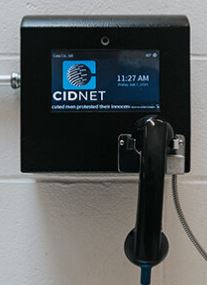
- Type in your Email, Time Zone and First & Last Name of your Warren County Jail inmate.
1. Click the Create Account button.
2. Read the Terms of Use, then click Agree.
3. Login to your email and open the CIDNET email.
4. In the email, click the Complete Your Verification link.
5. Choose a Security PIN and a Password.
6. Click the Sign In button. - After logging in, from the Menu, choose the state of Missouri, then the Warren County Jail, then your inmate's name.
- Once you have completed this, the Warren County Jail will have to give final approval for you to deposit money for your chosen inmate's communication needs.
For all the information you need to know, including instructions, policies, tips and solutions to possible issues with Depositing Money for making phone calls with an inmate in Warren County, visit our full page guide.
We’ve compiled a list of Frequently Asked Questions and Answers for everything you need to know about Warren County Jail’s Inmate Money and Trust Fund Policies, Rules and Guidelines. If you still have questions after reviewing these FAQs, call 636-456-4332 for further assistance.
⇓ Learn more ⇓ Show lessHow Do I Receive Phone Calls from an Inmate in the Warren County Jail?
How to Make and Receive Phone Calls and Video Phone Calls from an Inmate in Warren County
To register and sign up for a phone account with CIDNET Inmate Phone Service, follow the instructions below:
- Register and create an account with CIDNET.
- Type in your Email, Time Zone and First & Last Name of your Warren County Jail inmate.
1. Click the Create Account button.
2. Read the Terms of Use, then click Agree.
3. Login to your email and open the CIDNET email.
4. In the email, click the Complete Your Verification link.
5. Choose a Security PIN and a Password.
6. Click the Sign In button. - After logging in, from the Menu, choose the state of Missouri, then the Warren County Jail, then your inmate's name.
- Once you have completed this, the Warren County Jail will have to give final approval for you to set up a phone account with your inmate.
For all the information you need to know, including instructions, policies, tips and solutions to possible issues regarding making phone calls with an inmate in Warren County, visit our full page guide.
NOTE: All phone conversations are recorded. Whatever you talk about, can and will be used against your inmate in court. Never discuss their pending criminal case!
We’ve compiled a list of Frequently Asked Questions and Answers for everything you need to know about Warren County Jail’s Inmate Phone Policies, Rules and Guidelines. If you still have questions after reviewing these FAQs, call 636-456-4332 for further assistance.
⇓ Learn more ⇓ Show lessHow do I Mail an Inmate in the Warren County Jail, and what can I send them?
Warren County Jail Inmate Mail Guidelines

Postcards
Ask the Warren County Jail whether it accepts postcards, and what size and type, before mailing one. Always include your name and return address.
Envelopes
The Warren County Jail also allows envelopes to be mailed to inmates. It is best to only use blue or black ink.
Postcards and envelopes MUST HAVE the sender's full name and return address on the envelope.
Postcards and envelopes MUST be mailed to the following address:
Inmate's Full Name & Inmate ID #
Warren County Jail
104 W. Main St., Suite A
Warrenton, MO 63383
Legal Mail

Send all Legal Mail to this Address:
Inmate's Full Name & Inmate ID #
Warren County Jail
104 W. Main St., Suite A
Warrenton, MO 63383
Newspapers
Newspapers may also be mailed to an inmate as long as they are shipped directly from the publisher.
Magazines
News, special interest or sports magazines may also be mailed to an inmate as long as they are shipped directly from the publisher. Any magazines that contain profanity, weapons, pornography or other content that is adult in nature will be confiscated by the jail staff and will NOT be delivered to the inmate.
Books
Ask the Warren County Jail whether books can be mailed in, and whether they must come straight from a publisher or retailer such as Amazon, Barnes & Noble or Books-A-Million. You can order them directly from your computer and have them shipped to the inmate at the address noted.
Books must NOT contain images or content that are considered excessively violent, pornographic or obscene. Any book that does not meet the Warren County Jail standards will be disposed of.
Ask the Warren County Jail whether hardcover books are accepted.
All newspapers, magazines and books are to be shipped to:
Inmate's Full Name & Inmate ID #
Warren County Jail
104 W. Main St., Suite A
Warrenton, MO 63383
Warren County Jail Inmate Mail Policies and Address - What Can You Send, and Where?
For inmates receiving mail in the Warren County Jail there are different addresses and policies depending on the inmate's status, as well as what type of mail they are receiving; personal mail, legal mail, subscriptions or books sent from a third-party such as Amazon.
All mail is to be shipped to the Warren County Jail:
Inmate's Full Name & Inmate ID #
Warren County Jail
104 W. Main St., Suite A
Warrenton, MO 63383
For complete information on mail policies, what you can send an inmate and what address to send them, check out our Inmate Mail page.
We’ve compiled a list of Frequently Asked Questions and Answers for everything you need to know about Warren County Jail’s Inmate Mail Policies, Rules and Guidelines. If you still have questions after reviewing these FAQs, call 636-456-4332 for further assistance.
⇓ Learn more ⇓ Show lessCan I purchase Commissary Online for an Inmate in the Warren County Jail, and what can I purchase?
Warren County Jail uses CIDNET to deposit money in an inmate's commissary account.
Register here.
Friends & Family Portal Information
Frequently Asked Questions
Instructions on How to Use CIDNET
CIDNET Instrucciones
Contact Customer Support
How to deposit money in an inmate's phone account in Warren County
To deposit money to an inmate housed in Warren County for phone call use, follow these instructions:
- Register and create an account with CIDNET.
- Type in your Email, Time Zone and First & Last Name of your Warren County Jail inmate.
1. Click the Create Account button.
2. Read the Terms of Use, then click Agree.
3. Login to your email and open the CIDNET email.
4. In the email, click the Complete Your Verification link.
5. Choose a Security PIN and a Password.
6. Click the Sign In button. - After logging in, from the Menu, choose the state of Missouri, then the Warren County Jail, then your inmate's name.
- Once you have completed this, the Warren County Jail will have to give final approval for you to deposit money for your chosen inmate's communication needs.
For all the information you need to know, including instructions, policies, tips and solutions to possible issues with Depositing Money for making phone calls with an inmate in Warren County, visit our full page guide.
We’ve compiled a list of Frequently Asked Questions and Answers for everything you need to know about Warren County Jail’s Commissary Policies, Rules and Guidelines. If you still have questions after reviewing these FAQs, call 636-456-4332 for further assistance.
⇓ Learn more ⇓ Show lessHow Can I Communicate with an Inmate in the Warren County Jail using an Online Messaging Service?
How to Send a Secure Email Message to an Inmate in Warren County
To send a secure email message to an inmate in Warren County Jail follow these steps:
- Register with Inmate Canteen to create an account or log in if you already have one.
- Select Missouri, then select Warren County Jail, and then the inmate you want to send your message to.
- Add money to your account.
- Verify your email.
- Send message.
- NOTE: All messages between you and your Warren County inmate will be permanently recorded and seen by the staff and could be used against your inmate in court.
For all information on how to Text/Email an Inmate in Warren County Jail, the costs, rules, policies and more check out our Secure Messaging Guide for Warren County.
We’ve compiled a list of Frequently Asked Questions and Answers for everything you need to know about Warren County Jail’s Text and Email Policies, Rules and Guidelines. If you still have questions after reviewing these FAQs, call 636-456-4332 for further assistance.
⇓ Learn more ⇓ Show lessDo Inmates in the Warren County Jail have Access to Tablets or Computers?
We’ve compiled a list of Frequently Asked Questions and Answers for everything you need to know about Warren County Jail’s Tablet Policies, Rules and Guidelines. If you still have questions after reviewing these FAQs, call 636-456-4332 for further assistance.
⇓ Learn more ⇓ Show lessWhat are the other Jails in the Neighboring Counties surrounding Warren County?
Nearby counties
This facility, known as "Warren County Jail" is also known as Warren County Jail , Warren County Jail , Missouri, Warren.